What if…? See it before it happens
Try a job loss, a new cost or a home purchase without touching your real plan.
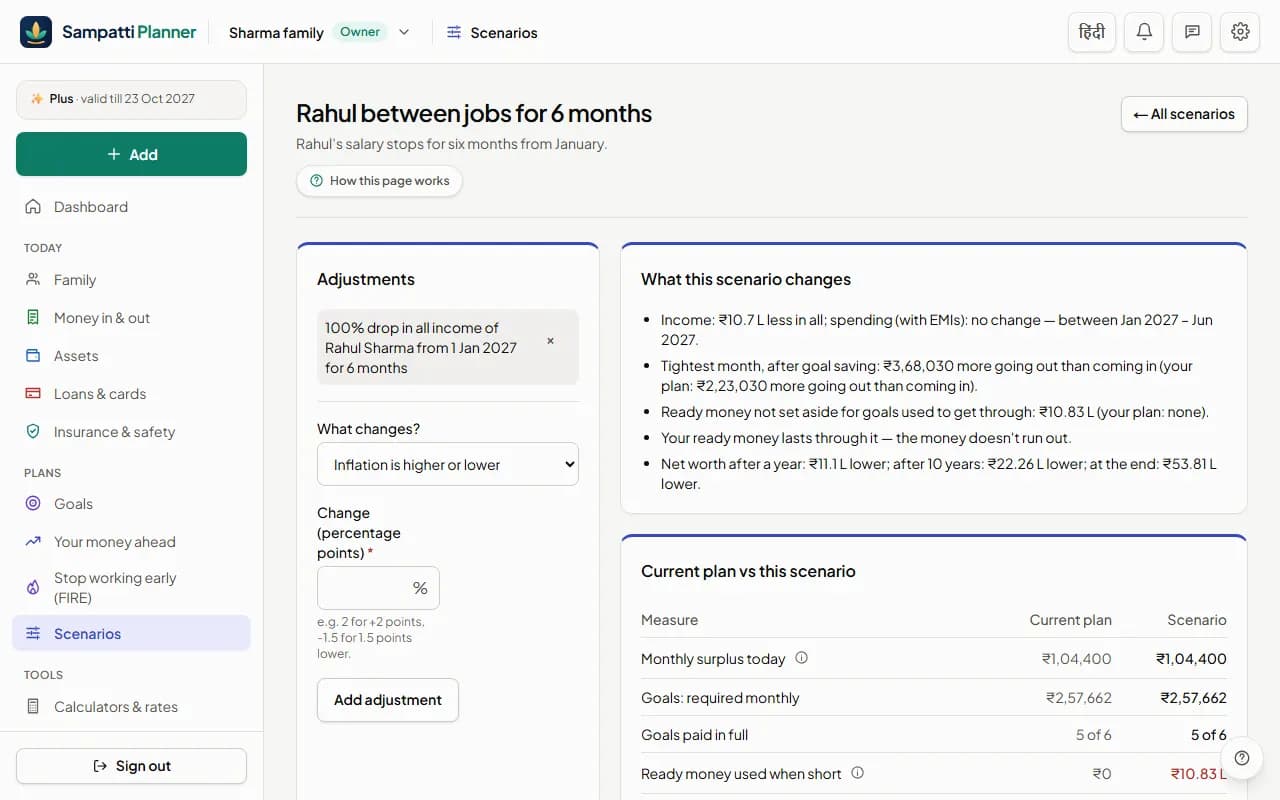
What it does
- Stop or cut a salary for a while, along with the bonus or EPF that goes with it.
- Add a new cost, a purchase or an early loan payment.
- Compare scenarios side by side.
How it works
- Create a scenario with a clear name, or use a Quick start button.
- Add changes: lost income, spending up or down, price rises, a new cost, goals moved later and more. Moving the Retirement goal also moves when a salary with no end date stops.
- Big decisions: “Buy a home, a car or something big” (price, down payment, loan), “Pay extra off a loan”, or “Money coming in once”. For a purchase, “When can we buy?” tries every year for 10 years.
- Open it: “What this scenario changes” sums it up — the tightest month after goal saving, how much ready money is used and whether it runs out.
- Below: figures side by side, month-by-month money and each goal in your plan and in the scenario. To put several scenarios next to each other, press “Compare side by side” on the Scenarios page.
- If more goes out than comes in, ready money not set aside for goals is used first; after that the shortfall is counted as borrowed at about 12% a year.
- When a salary stops or drops, tick what goes with it under “Also stops”: a bonus paid with it, and EPF or NPS taken from it (yours and the employer's).
- Free keeps 1 saved scenario; Plus keeps as many as you like.
Questions families ask
- Will a scenario change my plan?
- No. A scenario is kept apart from your real figures.
- Can I see how long we would last without a salary?
- Yes. A scenario shows the months when more goes out than comes in, and when the ready money runs out.